
Download UXTheme Multipatcher – Windows XP, Windows Server 2003, custom themes, msstyle, theme patcher, desktop customization
Overview
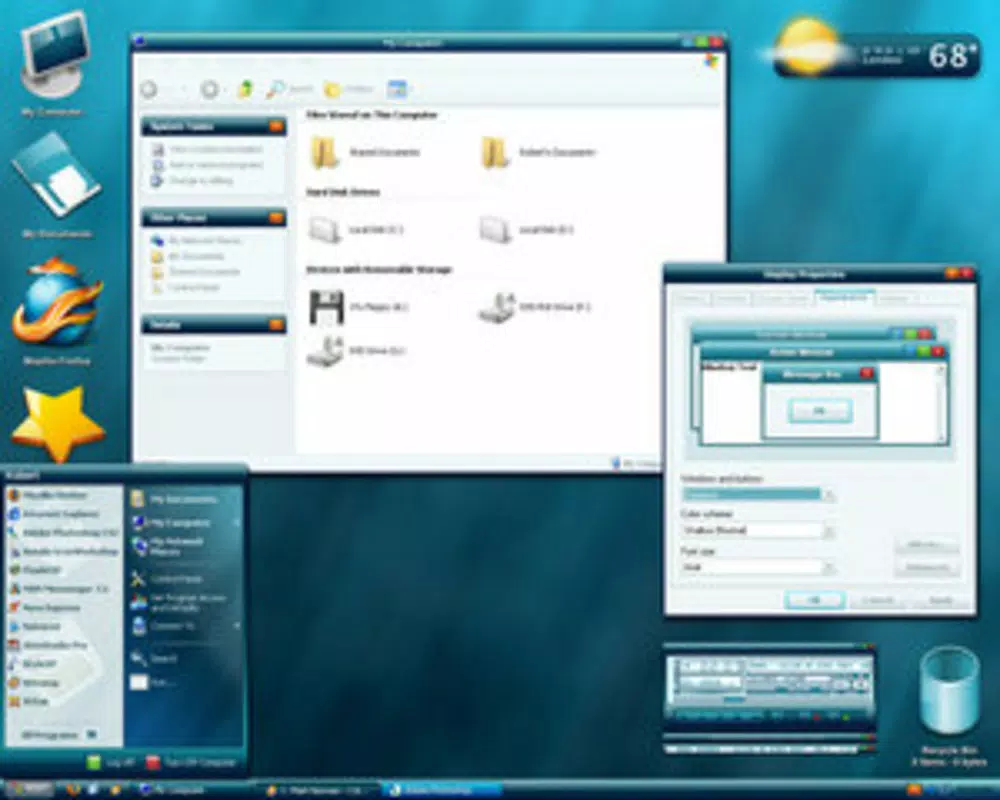
UXTheme Multipatcher is a specialized system utility crafted for users of Windows XP and Windows Server 2003 who seek to extend their desktop personalization beyond the default visual limitations. The app enables the installation of third-party msstyle themes by patching the core uxtheme.dll file, which otherwise restricts non-Microsoft themes on these older operating systems. This functionality addresses a longstanding limitation for users aiming to achieve a more visually distinct or modern interface, particularly relevant in environments where upgrading the OS is not feasible.
The target audience includes long-time Windows XP users, system administrators managing legacy servers, and enthusiasts preserving or enhancing older computing setups. Developed by Ryan J. Boudreaux, the tool reflects a niche but dedicated effort to empower users with greater control over their visual environment.
Real-world applications include customizing workstations for improved ergonomics, branding internal systems in small businesses, or simply personalizing a familiar interface. In the broader ecosystem of legacy software tools, UXTheme Multipatcher fills a critical gap, offering a lightweight, focused solution that remains relevant for users still relying on these older platforms. Despite its age, the app continues to serve a specific and valuable purpose in the preservation and customization of legacy Windows environments.
Key Features & Functionality
- Automated System Detection: Upon execution, the tool automatically identifies the host operating system, ensuring compatibility with Windows XP, SP1, SP2, and Windows Server 2003 SP1. This eliminates the need for manual configuration and reduces the risk of user error.
- Non-Invasive Patching of uxtheme.dll: The application modifies the system’s core theme engine file to allow loading of third-party
msstylefiles. This change is designed to be reversible and does not alter other system components. - Unrestricted Theme Installation: After patching, users can install any
msstyletheme available from community sources, including modernized, flat, or highly stylized designs that were previously blocked by the OS. - Minimal System Impact: The tool operates with a small footprint—only 1.1 MB—and does not require background processes. It performs its function in a single execution and does not persist beyond the patching stage.
- Compatibility with Legacy Environments: Designed specifically for older Windows versions, it maintains stability across various hardware configurations and system setups common in enterprise or personal legacy systems.
For example, a user maintaining a Windows XP machine for a legacy accounting application can apply a dark-themed msstyle to reduce eye strain during long work sessions. Similarly, a system administrator managing a Windows Server 2003 environment may use the tool to standardize visual branding across multiple machines. The tool’s functionality is limited to theme patching, but within that scope, it delivers reliable results with minimal friction.
Interface, UX & Performance
UXTheme Multipatcher presents a minimalistic, no-frills interface that aligns with its utility-focused design. The application launches as a simple executable with a clean window displaying a single button and a brief status message. There are no menus, settings, or additional options—its sole purpose is to patch the uxtheme.dll file.
This streamlined approach ensures that users are not overwhelmed by unnecessary choices, especially those with limited technical experience. Navigation is intuitive: run the .exe, wait for the confirmation message, and restart the system if prompted. The interface remains responsive throughout the process, and the app does not consume significant system resources during execution.
Although the developer did not list formal performance metrics, the tool’s small size and single-task nature suggest efficient operation even on older hardware. Stability is maintained through careful file manipulation, and there is no indication of crashes or errors in standard use. The lack of a persistent UI or background service means the app leaves no trace after completion, which enhances system cleanliness.
Overall, the UX is optimized for clarity and reliability, prioritizing function over form, which suits its target audience of users who value straightforward, effective tools.
Platform Compatibility & Technical Requirements
UXTheme Multipatcher is designed for the Windows platform and is compatible with Windows XP, Windows XP SP1, Windows XP SP2, and Windows Server 2003 SP1. The application is distributed as a standalone executable with a file size of 1.1 MB, making it lightweight and easy to transfer across systems. The developer did not specify minimum OS requirements beyond the listed versions, nor did they provide information about processor architecture or RAM needs.
Compatibility with modern Windows versions is not confirmed, and the app is not available for Android, iOS, or other mobile platforms. The tool does not require installation—it runs directly from the .exe file—making it portable and suitable for use on USB drives or shared workstations. Specific requirements such as administrator privileges were not disclosed, but given the nature of system-level file patching, elevated permissions are likely required for successful execution.
Users should exercise caution when running such tools on sensitive systems and ensure they have a system restore point before applying changes.
Pros and Cons
- Lightweight and portable—only 1.1 MB in size
- Simple, automated installation process
- Supports multiple legacy Windows versions
- Enables unrestricted use of third-party msstyle themes
- Safe patching method with minimal system impact
- Only compatible with Windows XP and Server 2003—no support for newer OS versions
- No graphical interface beyond basic status display
- Developer did not provide detailed technical documentation
- Not available for mobile platforms or modern operating systems
- Requires manual system restart after patching
FAQ
Is UXTheme Multipatcher safe to use?
The tool is designed to patch the uxtheme.dll file safely, but users should ensure they are downloading it from a trusted source. As with any system-level modification, it's recommended to create a system restore point before applying the patch.
Can I uninstall UXTheme Multipatcher after use?
Since the tool runs as a one-time executable and does not install permanent components, there is no formal uninstall process. The patch remains active until manually reverted or the system is restored.
Does UXTheme Multipatcher work on Windows 7 or 10?
Compatibility with Windows 7, 8, 10, or 11 is not confirmed. The tool is specifically designed for Windows XP and Server 2003, and its functionality may not work on newer operating systems.
Do I need administrator rights to run it?
While the developer did not specify, system-level file patching typically requires elevated permissions. It is advisable to run the executable as an administrator.
Can I revert the patch if something goes wrong?
Yes, the patch can be reversed by restoring the original uxtheme.dll file from a backup or using a system restore point. The tool itself does not provide a built-in undo function.
Final Thoughts
UXTheme Multipatcher remains a highly effective solution for users of Windows XP and Server 2003 who wish to enhance their desktop experience through third-party themes. Its minimalist design, ease of use, and targeted functionality make it a reliable utility for a specific but enduring user base. While it lacks modern features and is not suitable for contemporary systems, it excels within its defined scope.
The app is particularly valuable for legacy system maintainers, retro computing enthusiasts, and organizations still operating on older platforms. For those seeking a secure, lightweight way to customize their interface without altering core system files permanently, UXTheme Multipatcher delivers on its promise. Its free availability and straightforward execution further increase its appeal.
Download UXTheme Multipatcher now.


